


connect

Now you can enjoy high-spec games seamlessly and access any game running on your PC anytime you want with Netmarble Connect!
Play without interruptions!
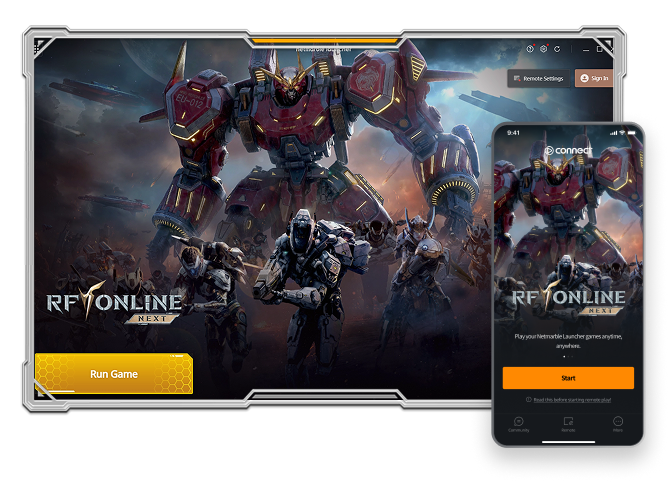
What's Netmarble Connect?
Netmarble Connect lets you take your PC games from the Netmarble Launcher to play them remotely on your mobile!
Jump into your gaming world anytime, anywhere!
How to Play Remotely
After setting up Netmarble Launcher, you can play remotely through the Netmarble Connect mobile app.
- 01
Log in to Netmarble Launcher,
turn Remote setting ON,
and select your Connect linked account.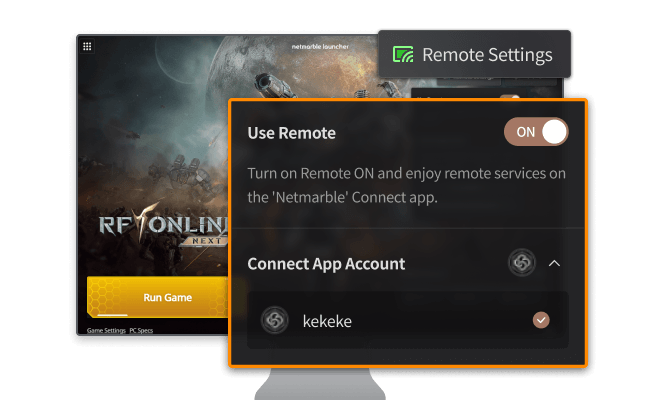
- 02
Download and install
the Netmarble Connect app
on your mobile device.
- 03
Make sure the Connect linked account
selected in the Netmarble Launcher
matches the login account
in Netmarble Connect.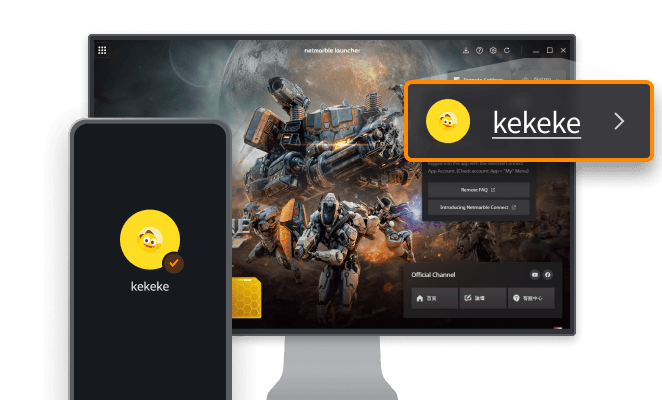
- 04
Enjoy remote gameplay
from the Remote menu
in Netmarble Connect!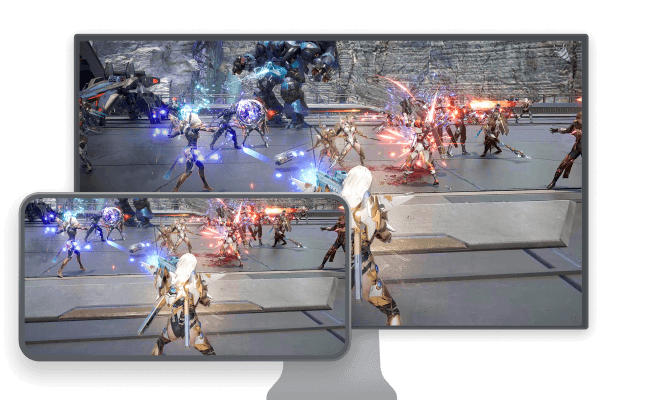
Please make sure to check the following before use!
- To use this service, you must be logged into Netmarble Launcher and have Remote setting enabled.
- To play remotely, turn Remote setting ON and select your Connect linked account after launching Netmarble Launcher.
Make sure you log in to the Netmarble Connect app on your mobile device with the same Connect linked account. - For the best experience, it's recommended to check "Keep me logged in" when signing into Netmarble Launcher (for personal PCs only).
- If your PC goes into sleep mode and loses network connection, the remote session may be interrupted.
(Sleep Mode Settings: PC Device > Display Settings > Power & Sleep > Sleep Mode > Set to "Never") - Remote play works over mobile data (5G, LTE) or Wi-Fi, requiring at least a 3 Mbps connection (10 Mbps or higher recommended).
- Service quality may vary depending on your network or Wi-Fi environment.
- Using mobile data may incur charges from your carrier.
How to Play PC Version
Install RF Online Next through Netmarble Launcher and log in to create your game account and start playing immediately!
PC Version Game System Requirements
Before installing Netmarble Launcher and the game,
make sure to secure around 30GB of storage space for the initial installation.
Frequently Asked Questions
Check the content below if you have questions about the PC Version or remote game playing service!
DetailsCan I adjust the screen size, such as to full screen or windowed mode?
How do you control your character in the PC Version?
What is the storage space required for installing the PC Version?
How can I enhance graphics quality?
I'm curious about payment methods in the PC Version.